
Sorting
Sorting settings let you control the display order of values for a given dimension, including:
The order of ticks on the X axis.
The order of sub-charts.
The sequence of frames in an animation.
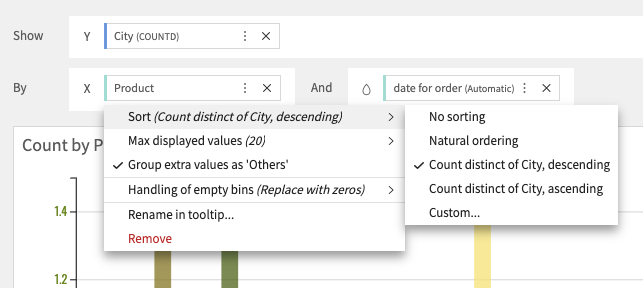
These options are available for most chart types, but only for alphanumerical dimensions:
Text columns.
Date or Numerical dimensions interpreted as text.
Natural ordering
Natural ordering is available for:
Alphanumerical dimensions (including date or numerical column treated as text), where values are sorted alphabetically.
Date dimensions, where values are sorted chronologically.
No sorting
No sorting is applied, dimensions values are displayed in the order returned by the database.
By aggregated measures ascending/descending
When a measure is computed over a dimension, the values of that dimension can be sorted based on the measure, in either ascending or descending order.
Custom
Custom sorting gives you full control over the display order of a dimension’s values.
In the dedicated dialog, you can define the maximum number of values to display, and manually reorder them.
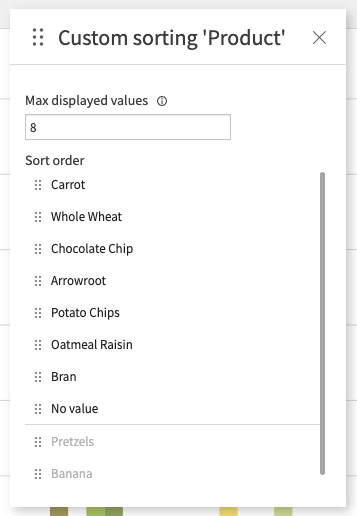
Note: The list of reorderable elements is limited to the first 500 values.