
Searching a graph
The Editor and the Explorer provide three search modes: Smart search, AI search, and Cypher query. Results are displayed as a graph or a table. See Query Table Results for supported table value types.
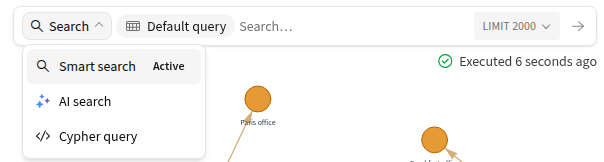
Smart search
Smart search queries a graph using keywords, node groups, and relationships, without writing Cypher. It is available for graphs managed by Visual Graph.
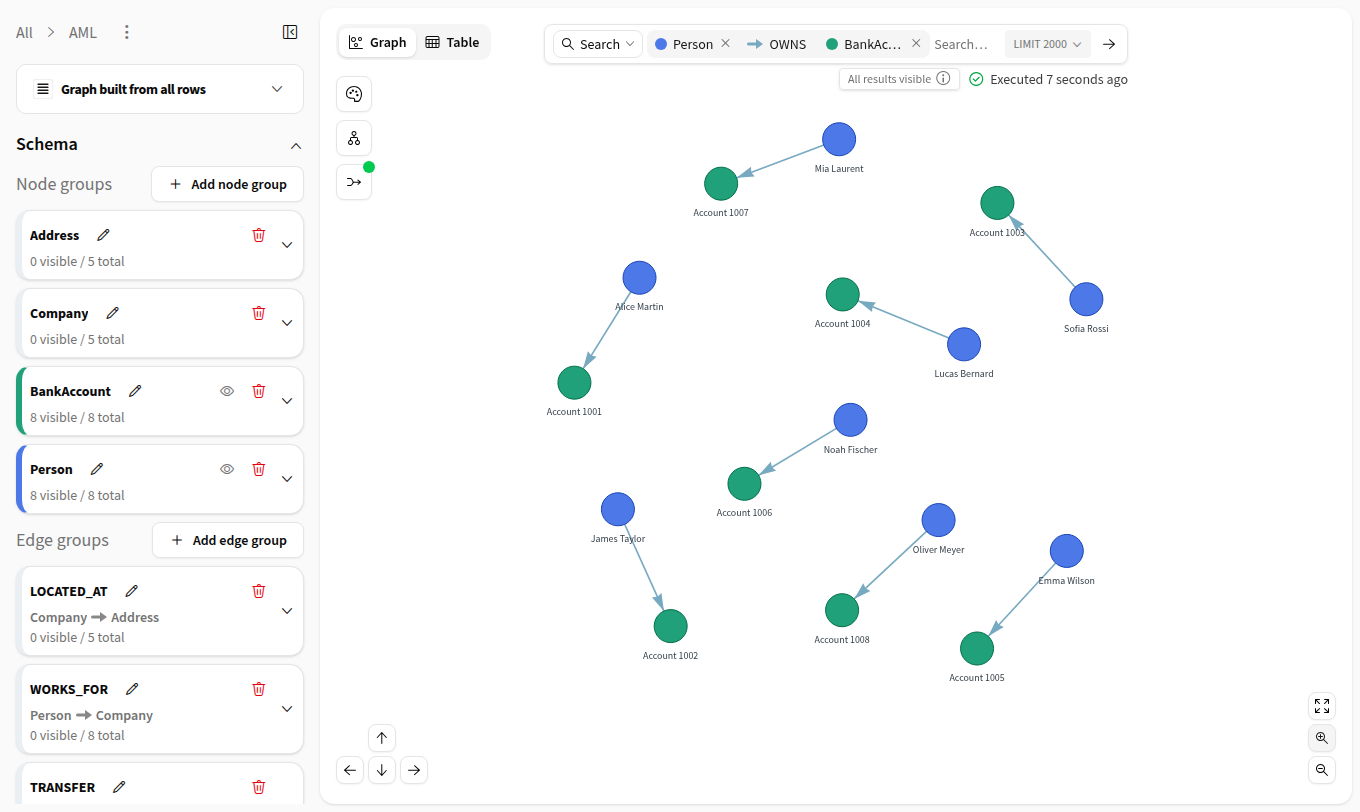
Keywords
Keyword search matches indexed text properties of nodes. Matching is case-insensitive and uses whole words: Martin matches Alice Martin, but Mart does not.
Words consist of letters. Digits, punctuation, and underscores separate them: node123 is searched as node, and 123 alone matches nothing. Exact identifiers and numeric values can be queried with Cypher query.
A * at the start or end of a word enables partial matching:
Mart*matches words starting withMart.*martmatches words ending withmart.*mart*matches words containingmart.
A keyword containing several words matches nodes containing any of those words. Results are ordered by relevance. For example, Alice Martin also matches Bob Martin. Each matching node is returned with up to 20 neighbors.
Graph patterns
A graph pattern specifies node groups and directed relationships. For example, Person → OWNS → BankAccount returns people and the accounts they own. A pattern can contain up to eight relationships, including branches and cycles.
A keyword can filter a pattern: a result is returned when at least one node in the pattern matches the keyword. For example:
Person with
Martinreturns matching people.Person → OWNS → BankAccount with
Martinreturns ownership links where the person or the account matches.
Only groups with keyword search enabled can match the keyword. If no group in the pattern has keyword search enabled, the search fails. Pattern results contain only the nodes and relationships in the pattern, without extra neighbors. A search accepts one keyword expression at a time.
Repeated node groups and cycles
A node group can appear several times in a pattern. Each occurrence is numbered, for example BankAccount 1 and BankAccount 2. These numbers identify positions in the pattern, not node IDs.
A relationship can extend any occurrence in the pattern. Its destination is either:
New: another occurrence of a node group.
Existing: an occurrence already in the pattern. The destination must match the same node as that occurrence.
For a TRANSFER relationship between accounts, these patterns represent a chain, a cycle, and a branch:
Pattern |
Meaning |
|---|---|
1 → 2 → 3 |
An account transfers to a second account, which transfers to a third occurrence. |
1 → 2 → 1 |
An account transfers to a second account, which transfers back to the first. |
1 → 2 and 1 → 3 |
Two transfers originate from the same account. |
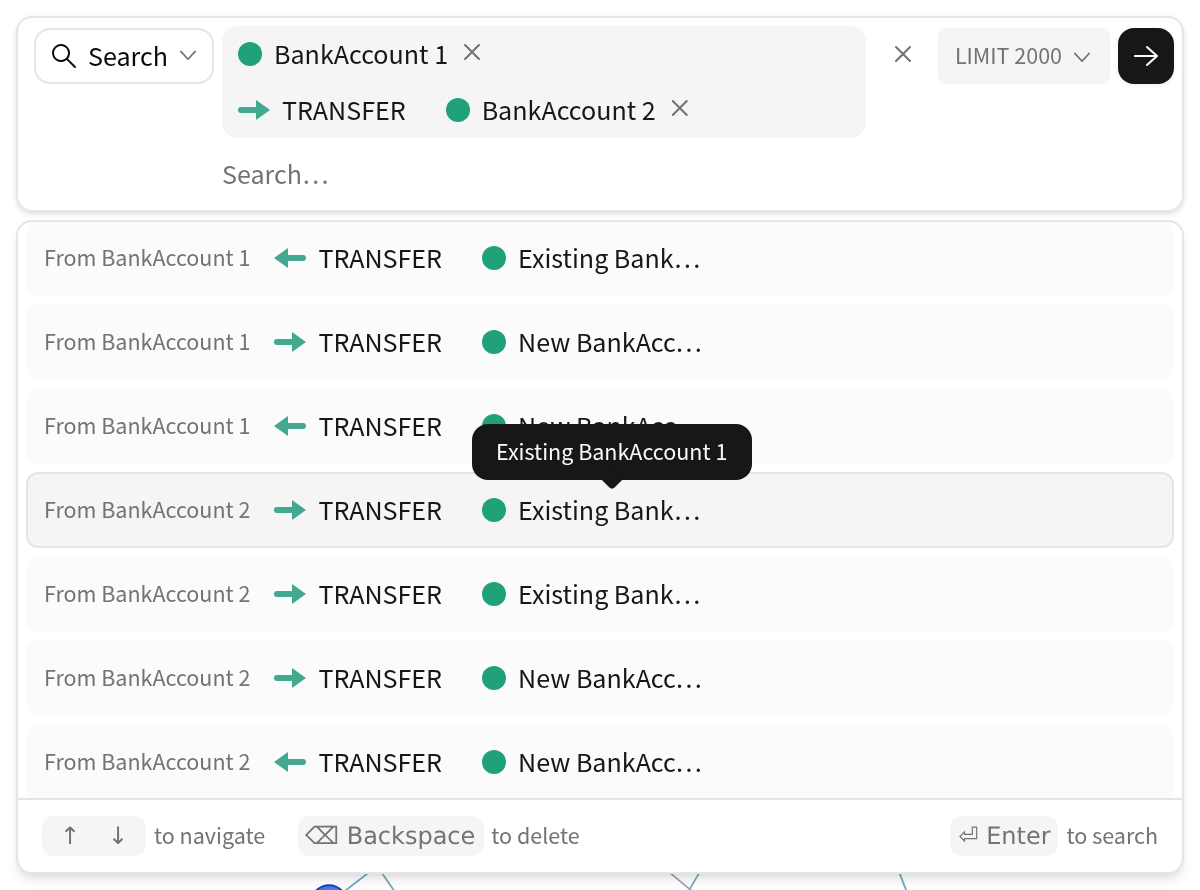
Existing BankAccount 1 closes a cycle back to the first account.
Note
New does not require a different node. Two occurrences can match the same account. A Cypher condition such as a1 <> a3 is required to exclude that case.
Saved queries
Saved queries are named Cypher queries shared by users of the Editor. In the Explorer, they come from the published graph configuration. They run independently and cannot be combined with keywords or patterns. They are not available for unmanaged Neo4j databases.
Keyword search configuration
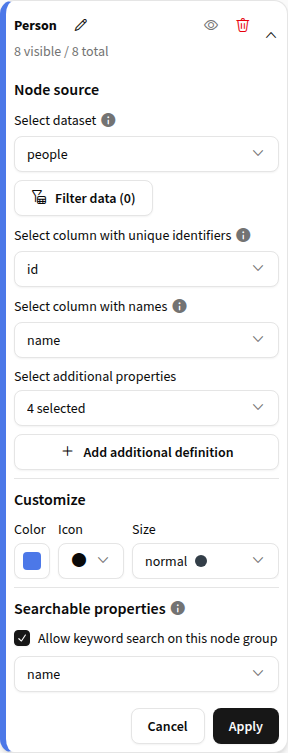
The node group’s Searchable properties setting in the Editor controls whether keyword search is enabled and which text properties are indexed.
By default, the eligible columns selected in Select column with names are indexed across the group’s definitions. If none is eligible, the group has no keyword search. For example, Food Name is not eligible because its name contains a space; another eligible property must be selected to make the group searchable.
Indexed property names must contain only letters, digits, and underscores, must not start with a digit, and must not be reserved names. Ineligible properties are disabled in Searchable properties, with the reason available in a tooltip.
Search requirements and limitations
Supported databases
Smart search requires a graph managed by Visual Graph. Unmanaged Neo4j databases support AI search and Cypher query, but not keyword search or graph patterns.
Search indexes and upgrades
Keyword search requires indexes on the selected properties. Graphs built before Visual Graph 1.5.0, or built without search indexes, display Text search is not ready until rebuilt. Graph patterns remain available.
Indexes are created during a graph build. After upgrading or changing searchable properties:
Editor: Rebuild, under Connection & Sampling, builds indexes for the Editor’s graph.
Explorer: the Build graph recipe builds indexes from the saved, published configuration. Refresh search options reloads the Explorer’s search configuration after the build.
Neo4j privileges
When keyword search is enabled, the Neo4j identity used by the Editor or Build graph needs the INDEX MANAGEMENT privilege on the database to create and drop search indexes. Visual Graph checks this before resetting the database. If the privilege is missing, the rebuild stops without deleting the existing graph.
AI search
AI search generates and runs a Cypher query from a question in natural language. It requires an LLM connection in the webapp settings.
The generated query is available in Cypher query, where it can be edited and run again. In the Editor, it opens as a new query that can be saved. The query starts with a comment containing the original question, followed by the explanation provided by the LLM.
The five most recent questions are suggested in the search bar. Selecting a question runs it again.
The optional LLM history dataset records questions and answers. It must be a SQL dataset. See the Editor and Explorer settings.
Cypher query
The Cypher query editor provides schema-aware autocompletion. Cypher supports queries such as property filters and aggregations that are not available in Smart search.
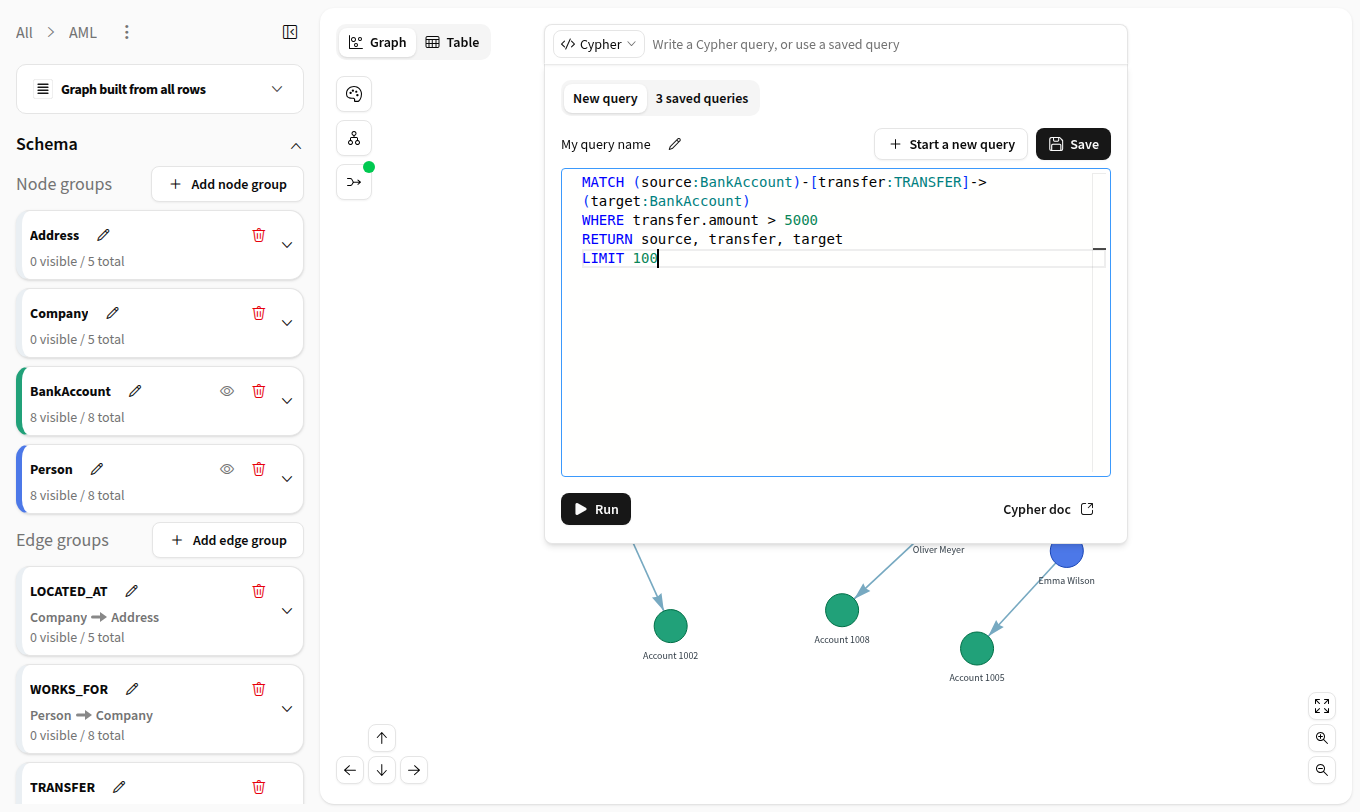
For example, this query returns up to 100 transfers above 5,000:
MATCH (source:BankAccount)-[transfer:TRANSFER]->(target:BankAccount)
WHERE transfer.amount > 5000
RETURN source, transfer, target
LIMIT 100
Queries saved in the Editor are shared by its users and published with the graph configuration. Changes to the schema or database type can affect their validity.
Results and limits
Smart search returns up to 2,000 result rows by default. The search bar accepts limits between 100 and 5,000. A row can contain several nodes and edges, so the graph can display more elements than the row limit. Cypher queries use their own LIMIT clause.
The Smart search status indicates All results visible or Results capped. Its details identify the keyword and pattern searched and any result or neighbor limits reached.
The search bar also displays the time elapsed since the displayed results were executed.
Execution limits
The webapp’s Query and search timeout (seconds) limits the duration of a search, including all queries it runs.
In the Explorer, results are also limited to 10,000 rows and 10 MiB. Exceeding a time or size limit returns an error.
Search state
If a search fails or is canceled, the previous results remain displayed. Each search mode keeps its own draft. Recent searches and AI questions are stored in the browser for the webapp. The last executed query and view settings are stored in the browser for each graph. They are not shared with other users.