Supported connections
Built-in
Version used
Configuration
Visual Graph provides a built-in graph database, currently powered by Kuzu. When using this built-in graph database, no additional connection configuration is required.
Built-in graph database limitations
When running Visual Graph recipes on a built-in graph database published to a Dataiku Folder, use the same Dataiku user who created that database.
If another Dataiku user runs a recipe on that same built-in database, the recipe can fail.
If several users need to work on the same graph database, prefer Neo4j.
Neo4j
Versions supported
Configuration
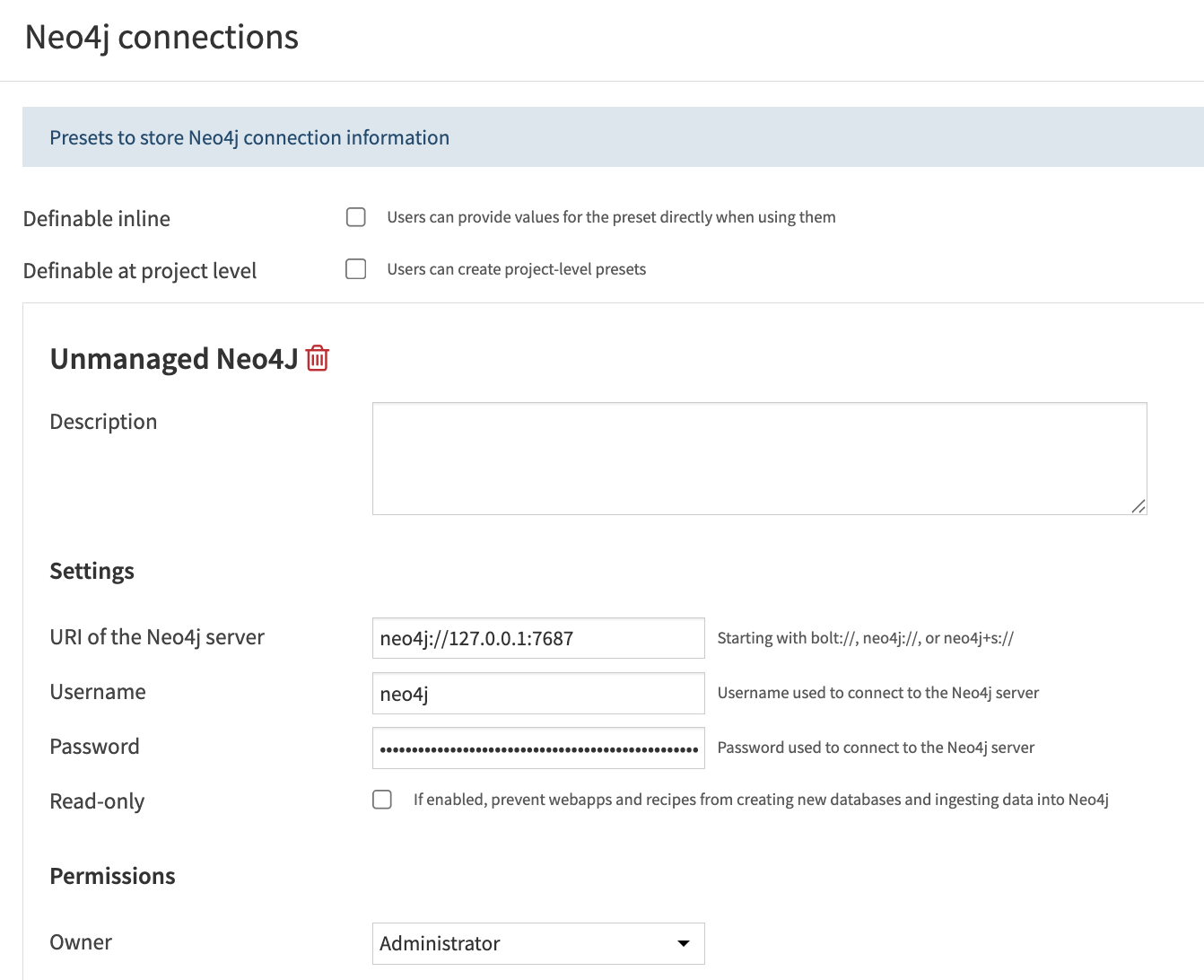
To start using Visual Graph with Neo4j, you need to set up a Neo4j connection. This is done in the Settings tab of the Visual Graph plugin. You will need an administrator to configure it.
- Neo4j connection settings
URI of the Neo4j server
Authentication mode: choose Username and password, Shared OAuth service account, or Per-user OIDC. See Neo4j single sign-on for OAuth and OIDC configuration.
Username and Password: the Neo4j account to use with username-and-password authentication.
Read-only: this option can be enabled to protect graph databases from modifications. It is useful if you want to explore or query an unmanaged production Neo4j database without the risk of accidental changes.
Note
A read-only Neo4j preset is appropriate for read-only flows such as the Explorer, the Graph Search Agent Tool, or Execute Cypher queries against an unmanaged database.
The Editor and graph publication workflows require a writable Neo4j connection.
The Graph features recipe and the deprecated Compute PageRank recipe require a writable Neo4j connection when run In database, because they build a temporary projection in the database. In database execution on Neo4j also requires the Graph Data Science (GDS) library.
Using unmanaged Neo4j databases
Unmanaged Neo4j databases can be used directly in several Visual Graph components, without first materializing them in a Dataiku Folder:
Explorer: select the Neo4j connection, then expose one or more unmanaged Neo4j databases directly in the webapp.
Execute Cypher, Graph features, Graph clustering, and Compute PageRank recipes: leave the input folder blank, select Neo4j (unmanaged) as the database type, then choose the Neo4j connection and database name.
Graph Search Agent Tool: leave the input folder blank, select Neo4j (unmanaged) as the database type, then choose the Neo4j connection and database name.