
Automated RAG Optimization
Overview
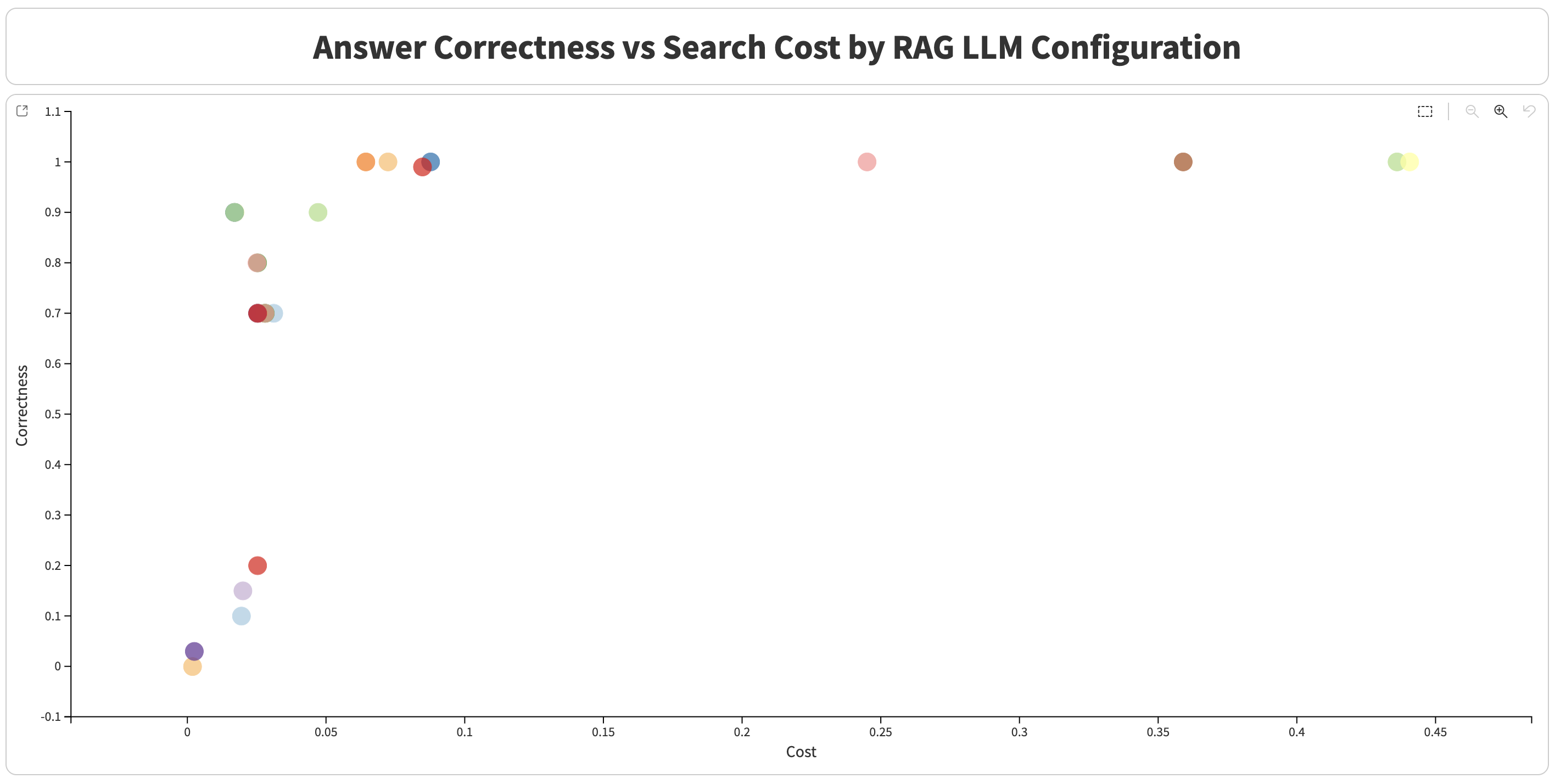
Automated RAG optimization in Dataiku optimizes Retrieval-Augmented Generation (RAG) configurations using Bayesian optimization techniques built on Optuna. It searches for high-performing parameter combinations to maximize answer quality while minimizing execution costs.
This optimization capability targets two main components:
Embedding optimization: Optimizes document embedding recipe parameters.
RA-LLM optimization: Optimizes Retrieval-Augmented LLM parameters for search and generation.
This capability is provided by the RAG Optimization plugin. For plugin installation instructions, see Installing plugins.
How It Works
Key Concepts
Trial: A single test run with one specific parameter combination.
Study: The complete optimization process containing all trials.
Objective function: The function that evaluates a configuration and returns a score.
Score: A composite metric combining correctness and cost efficiency.
Combination: A specific set of parameter values being tested.
What Is Optuna?
Optuna is a hyperparameter optimization framework that uses Bayesian optimization to efficiently search for high-performing parameter combinations. Instead of testing every possible combination, Optuna:
Learns from previous trials by analyzing which parameters led to better results.
Suggests promising configurations using model-based sampling.
Focuses on promising regions of the search space over time.
Optuna is useful here because it is efficient, adaptive, and designed for smart parameter sampling.
Workflow Overview
The workflow automates optimization through the following high-level steps:
1. Optimization parameters configuration
   ↓
2. Embedding optimization
   ├── Create embedding recipes with different configurations
   ├── Evaluate each configuration
   └── Select best configuration
   ↓
3. Build optimized Knowledge Bank
   ↓
4. RA-LLM optimization
   ├── Create RA-LLMs with different configurations
   ├── Evaluate each configuration
   └── Select best configuration
   ↓
5. Return results and metrics
Parameter space definition
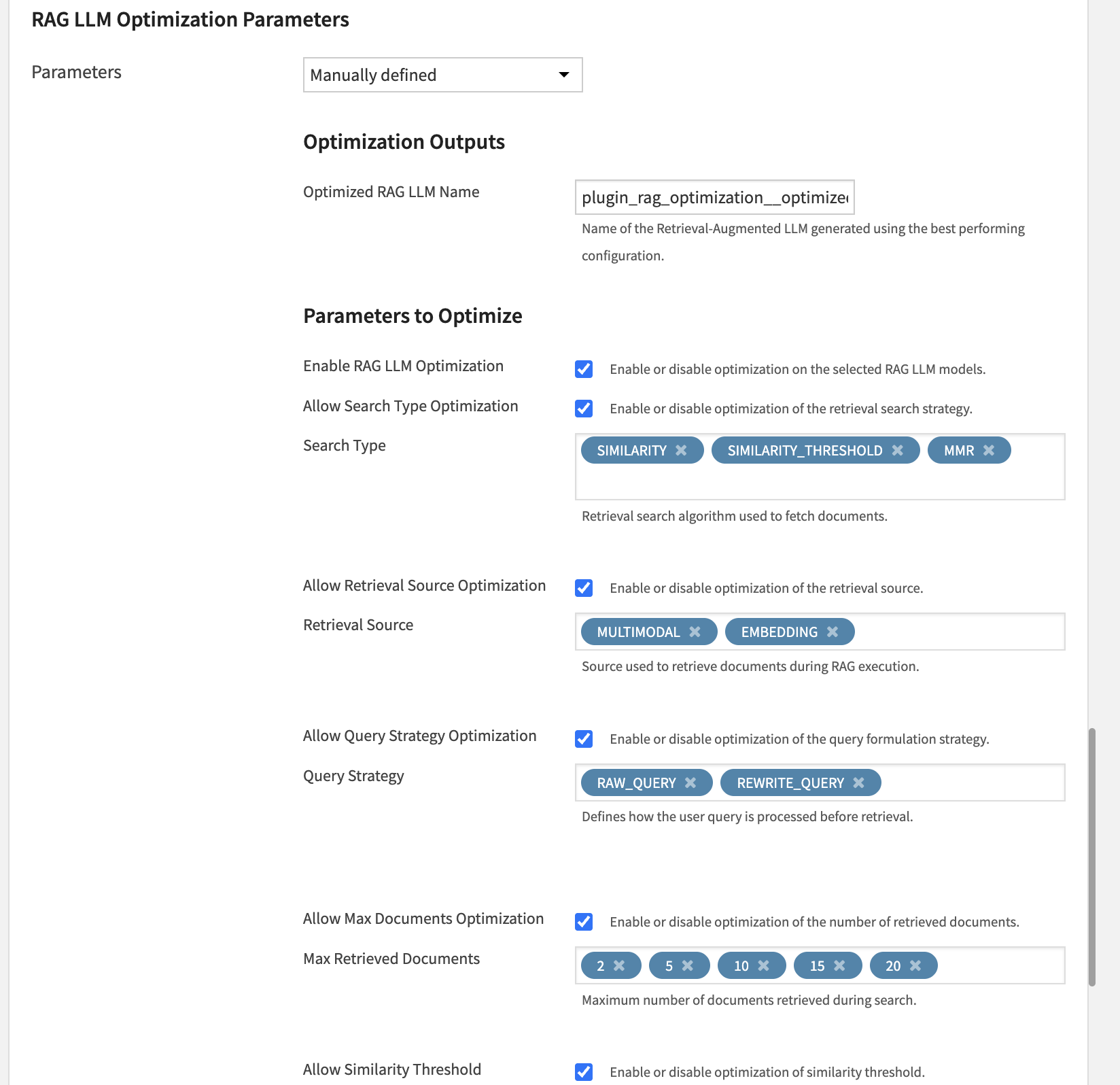
You define which parameters to optimize and their candidate values. Typical examples include embedding chunk size or RAG search type.
Trial execution
For each trial:
Optuna suggests a parameter combination based on previous results.
The workflow creates a temporary embedding recipe or RA-LLM using those parameters.
Temporary objects are created in a dedicated Flow zone to keep the main Flow clean.
The system evaluates the configuration by building a Knowledge Bank, running evaluation queries, comparing generated answers to expected outputs, and estimating costs.
The workflow computes a score from correctness and cost.
Learning and iteration
Optuna records trial results.
It updates its search strategy.
It proposes more promising combinations for the next trial.
This process repeats for
n_trialsiterations.
Best configuration selection
After all trials, the workflow keeps the highest-scoring configuration and creates or updates the final optimized recipe and RA-LLM.
Metrics and Scoring
Composite Score
The score combines correctness and cost efficiency:
if correctness < hard_min_correctness:
    score = -1.0  # Rejected
else:
    cost_score = 1.0 / (1.0 + np.log1p(cost * 1e6))
    score = 2 * correctness * cost_score / (correctness + cost_score + 1e-9)
Interpretation:
High score means high correctness and low cost.
-1.0means correctness is below the minimum threshold.
Usage and Configuration
Using It in a Flow
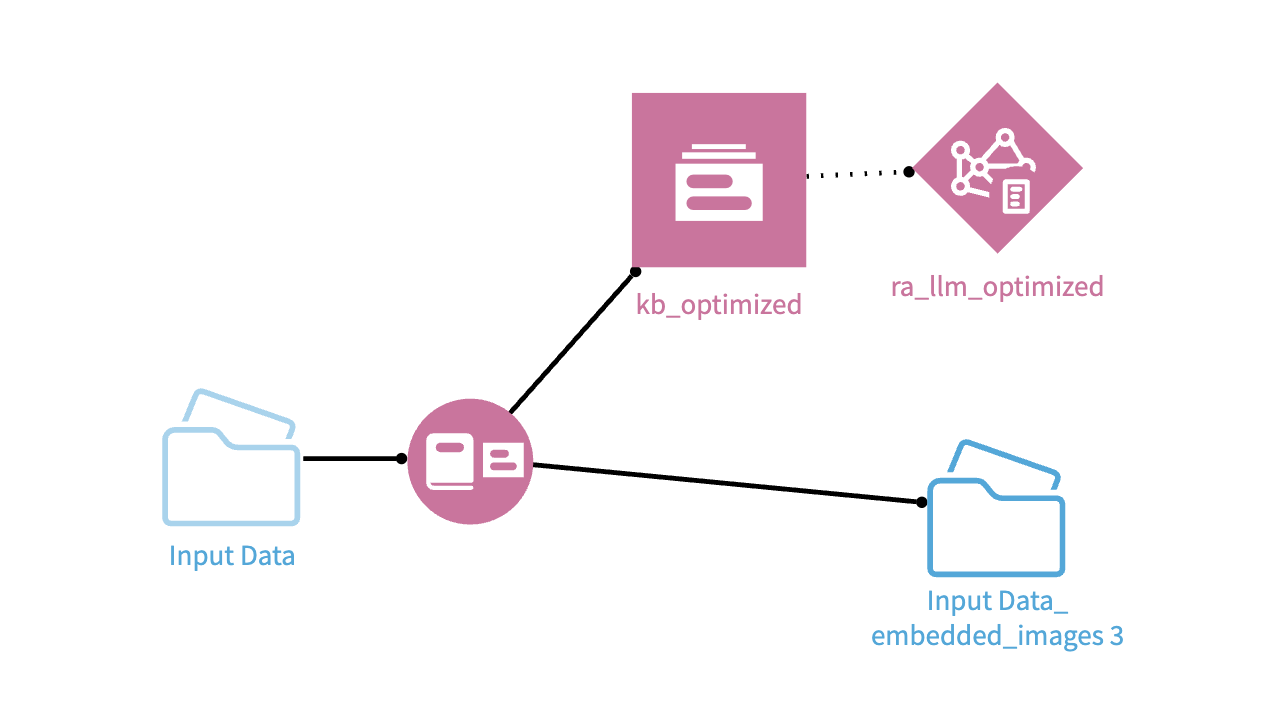
This capability is used as a recipe in your Flow.
Add the recipe to your Flow and connect the required inputs (Input Folder and Evaluation Dataset).
Configure recipe settings:
Select evaluation dataset columns (user query and ground truth).
Choose embedding and completion models.
Review or customize optimization parameters.
Set execution parameters such as number of trials and parallelism.
Run the recipe to start optimization.
During execution, temporary recipes, Knowledge Banks, and RA-LLMs may appear in the Flow for each trial. These temporary objects are cleaned up automatically at the end of the process.
Review outputs.
The recipe produces detailed optimization datasets, including per-trial results and question-answer level evaluation details. It also creates an optimized embedding recipe, its associated Knowledge Bank, and an optimized RA-LLM.
Requirements
The input folder contains supported document formats.
The evaluation dataset contains at least query and ground-truth columns.
Valid LLM connections are configured for both embedding and completion models.
A dedicated work zone is configured (or defaulted) for temporary optimization objects.
Best Practices
Use a representative but reasonably small evaluation dataset for faster iterations.
Start with a low number of trials (for example
n_trials=5to10), then increase progressively.Use
n_jobs=1by default to reduce resource conflicts.Limit the number of optimized parameters to keep the search space manageable.
Prefer discrete candidate value lists instead of continuous ranges.
Keep default parameters unless you have a specific reason to change them.
Limitations
Optimization runs sequentially (embedding first, then RA-LLM).
Automatic cleanup may fail if execution is interrupted abruptly.
Correctness is evaluated through an LLM judge, which can introduce variability.