
Introduction to DSS webapps
Web apps are custom applications hosted by DSS. Webapps can be used to write advanced visualizations or custom applicative front ends.
DSS allows you to write 4 kinds of web apps.
“Standard” web apps
A standard webapp is made at least of HTML, CSS and Javascript code that you can write in the DSS webapp editor. DSS takes care of hosting your webapp and making it available to users with access to your data project.
The Javascript code that you write has access to various DSS APIs to fetch data from datasets.
In addition, your webapp can contain a Python backend. The Python backend has access to the whole DSS public and internal Python APIs and can thus query datasets, perform SQL queries, or do all kind of administrative tasks (provided the user running the webapp has sufficient permissions).
See also
For more information, see also:
The HTML/CSS/JS: your first webapp tutorial in the Developer Guide.
Shiny web apps
A Shiny web app uses the Shiny R library. You write R code, both for the “server” part and “frontend” part. Using Shiny, it is easy to create interactive web apps that react to user input, without having to write any CSS or Javascript.
You write your Shiny code as you would outside of DSS, and DSS takes care of hosting your webapp and making it available to users with access to your data project.
In addition, the server R code has access to the whole DSS R API and can thus query datasets, perform SQL queries, or do all kind of administrative tasks (provided the user running the webapp has sufficient permissions).
Bokeh web apps
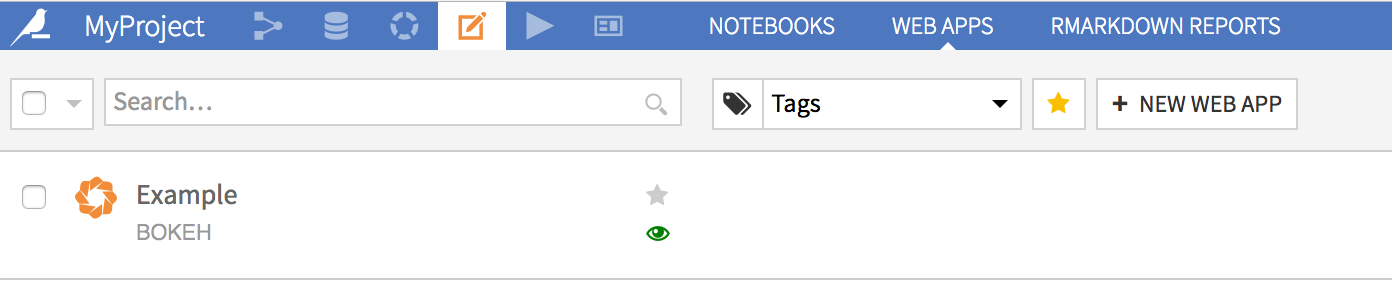
A Bokeh web app uses the Bokeh Python library. You write Python code, both for the “server” part and “frontend” part. Using Bokeh, it is easy to create interactive web apps that react to user input, without having to write any CSS or Javascript (Bokeh is the Python counterpart to Shiny).
You write your Bokeh code as you would outside of DSS, and DSS takes care of hosting your webapp and making it available to users with access to your data project.
In addition, the server Python code has access to the whole DSS Python API and can thus query datasets, perform SQL queries, or do all kind of administrative tasks (provided the user running the webapp has sufficient permissions).
See also
For more information, see also:
The Bokeh: Your first webapp tutorial in the developer guide.
Dash web apps
A Dash web app uses the Dash Python library. You write Python code, both for the “server” part and “frontend” part. Using Dash, it is easy to create interactive web apps that react to user input, without having to write any CSS or Javascript.
You write your Dash code as you would outside of DSS, and DSS takes care of hosting your webapp and making it available to users with access to your project.
In addition, the server Python code has access to the whole DSS Python API and can thus query datasets, perform SQL queries, or do all kind of administrative tasks (provided the user running the webapp has sufficient permissions).
See also
For more information, see also:
The Dash: your first webapp tutorial in the developer guide.
Streamlit web apps
A Streamlit web app uses the Streamlit Python library. Streamlit allows you to create interactive web apps that respond to user input, utilizing only Python code.
You write your Streamlit app as you would outside of DSS, and DSS takes care of hosting your web app and making it available to users with access to your project.
In addition, your app can use the DSS Python API to query datasets, perform SQL queries, or perform administrative tasks (provided the user running the webapp has sufficient permissions).
Example use cases
Here are a few examples of how a DSS webapp can be used:
Custom visualizations
You want to build a kind of visualization that is not builtin in DSS, like a Sankey diagram. You start by creating a dataset with data in the proper format for your visualization, using the regular DSS flow.
You then create a webapp:
Either a standard webapp, which uses d3.js to perform the visualization. The Javascript that you write mixes d3.js with the Dataiku API to fetch the data from the dataset.
Or using a Shiny webapp: you only use R code to fetch the data from the dataset, build the UI, and use one of the numerous Shiny R packages to prepare your diagram.
Or using a Bokeh, Streamlit or Dash webapp: you only use Python code to fetch the data from the dataset and build the UI.
Applicative frontend
You have created a segmentation model using DSS, and have used a scoring recipe to perform the segmentation on your whole customer base. You thus have a dataset with all your customers, stored in a SQL database. Now, you want your business users to be able to lookup a particular customer and get the associated segment. You can create a webapp to do that.
Either a standard webapp: the webapp presents a HTML frontend with a form for looking up various customer information. The JS code of the webapp relays the form to a Python backend that uses the DSS SQL APIs to perform queries in the SQL database, identify the matching customers and return them to the frontend.
Using a Shiny, a Bokeh or a Dash webapp to write only R (resp. Python) code.
GraphQL interface
Visual Web Applications provide a powerful way to create new interactions with your data without writing any code. One example is a GraphQL-based API that enables programmatic access to Dataiku datasets and saved models. This allows teams to integrate Dataiku’s data and machine learning capabilities into external applications, notebooks, and analytical workflows.
To get started, install the GraphQL plugin. This plugin enables you to create a “GraphQL API” Visual WebApp that provides the following features:
GraphQL Query Interface: Query any configured Dataiku dataset using GraphQL, with automatic schema generation based on dataset columns. GraphQL’s flexible query syntax allows clients to request exactly the fields they need, reducing over-fetching and improving performance.
ML Model Predictions: Generate predictions using any Dataiku saved model through a simple JSON API. The prediction endpoint accepts feature values as input and returns model predictions, supporting both real-time inference and batch scoring workflows.
Access Control: Configure which datasets and models are accessible through the webapp settings to ensure proper governance and security over exposed resources.
You also have a notebook template with a ready-to-use Jupyter notebook with examples for accessing the API