
Websockets problems
I am seeing the “Could not establish WebSocket connection” message
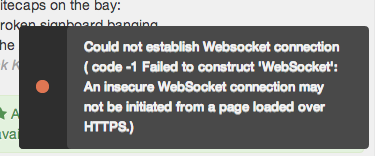
Agent Management uses a web technology called “Websockets” to provide a more dynamic user experience. In some setups, Websockets cannot work and you see this message.
Causes
The most common cause of Websocket error is when you connect to Agent Management through a proxy. Websockets is a fairly recent protocol and many enterprise proxies do not support it. The websocket connection will not establish and you will see this message.
Note that using a reverse proxy in front of Agent Management can also lead to this behaviour. Please refer to our reverse proxy configuration page for details.
If you are not in any of these cases, please contact Dataiku support.
Consequences
If your setup does not allow Websockets to work, the following features of Agent Management will not work :
The whole Python / R notebook. You will not be able to load, execute, export or convert to recipe any Python / R notebook
Dynamic notifications (connections, disconnections, end of job, comments, exports, …)
Some lists refresh when new events happen (end of training a model bench, …)
Editor’s conflict detection
Achievements
Remedies
If you can, please ensure that your connection to Agent Management is not done through a proxy. Generally, connections within a company do not require a proxy.
Another possibility is to use Agent Management on HTTPS. Proxies generally do not filter SSL connections and Websockets will work correctly. Please refer to the installation guide for help on setting up Agent Management on HTTPS.