
PostgreSQL
Note
You might want to start with our resources on data connections in the Knowledge Base.
Dataiku Agent Management supports the full range of features on PostgreSQL:
Reading and writing datasets
Executing SQL recipes
Performing visual recipes in-database
Using live engine for charts
Dataiku Agent Management supports PostgreSQL versions 9 and above. PostgreSQL 8 is not supported.
PostgreSQL on Google Cloud SQL is also supported.
Note
Computing column statistics metrics on PostgreSQL datasets requires a version 9.4 or greater.
Installing the JDBC driver
The PostgreSQL driver is pre-installed in Dataiku Agent Management. You don’t need any further installation.
Secure connections (SSL / TLS) support
Dataiku Agent Management can connect to a PostgreSQL server using secure connections.
Setup with certificate validation (recommended)
Importing the server certificate
You first need to obtain and convert the server certificate. Please follow the instructions laid out here:
https://jdbc.postgresql.org/documentation/ssl/
The server certificate should be added to the truststore of the JVM used by Dataiku Agent Management, using one of the procedures described at Adding SSL certificates to the Java truststore.
Setting up the PostgreSQL connection
In the settings of the connection, add an “Advanced property”:
Key:
sslValue:
true
Setup without certificate validation (not recommended)
Setting up SSL connection without certificate validation is much simpler, but by removing certificate validation, you loose the protection that SSL provides, since an internal attacker could still be able to impersonate the server
In the settings of the connection, add the following 2 “Advanced properties”:
Key:
ssl, Value:trueKey:
sslfactory, Valueorg.postgresql.ssl.NonValidatingFactory
PostGIS integration
PostGIS is a widely used PostgreSQL database extension that allows to store and process geospatial data. Dataiku Agent Management can leverage PostGIS functionalities to run geospatial queries directly in the database.
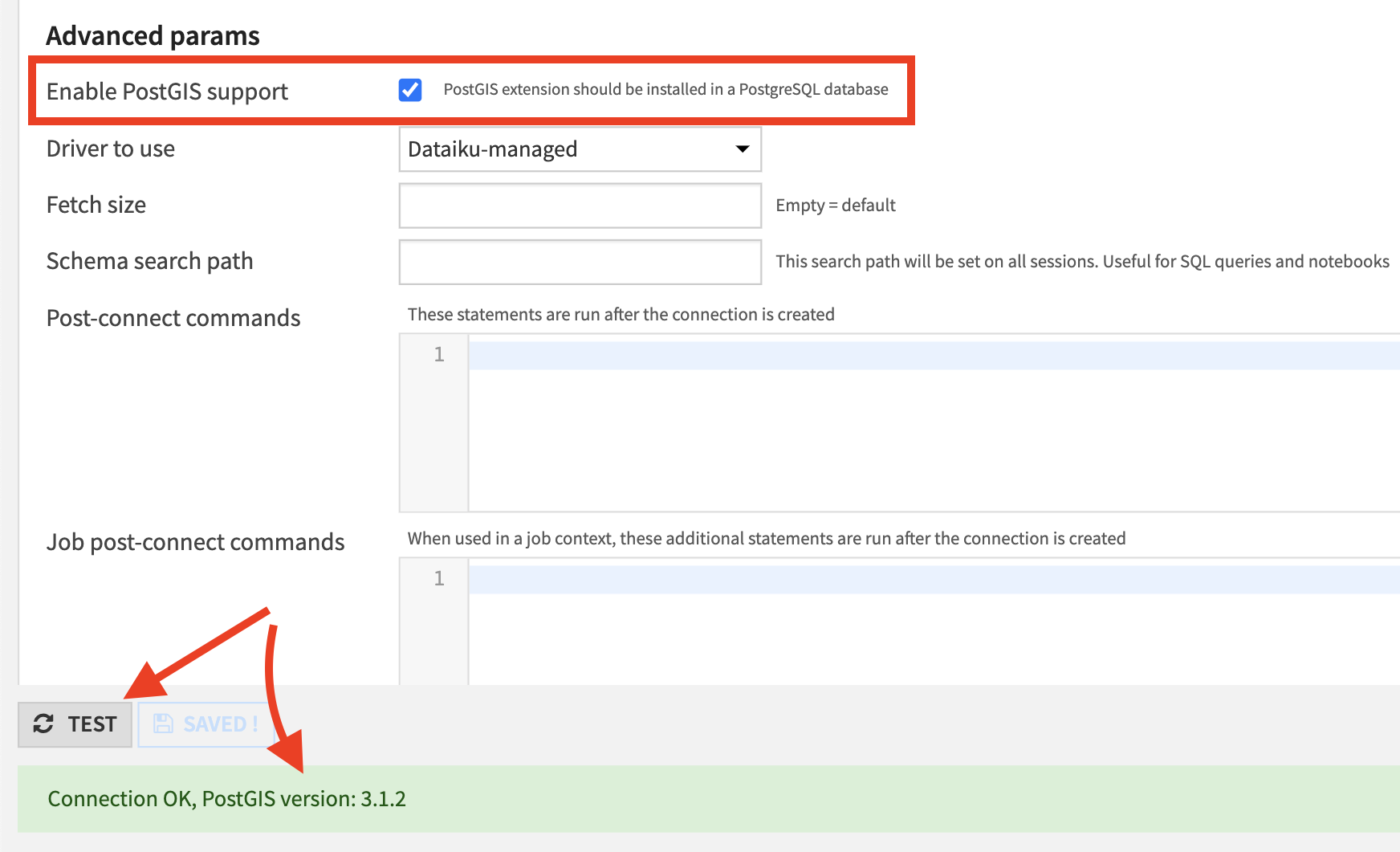
In order to verify that PostGIS is properly installed and can be used in Dataiku Agent Management, there’s a checkbox available on the PostgreSQL connections page:
Note
Dataiku Agent Management supports 2 geospatial types: geopoint and geometry. By default they’ll be translated to geography type of PostGIS. This behaviour can be changed by setting dku.datasets.postgresql.postgis.useGeography parameter to false in the config/dip.properties file.